Projects
Group tasks into projects with custom colors and icons. Each project keeps its own workflow.
A multi-dimensional task system. Projects, custom statuses, recurring schedules. Kanban, calendar, list. Pick the view that fits your work.
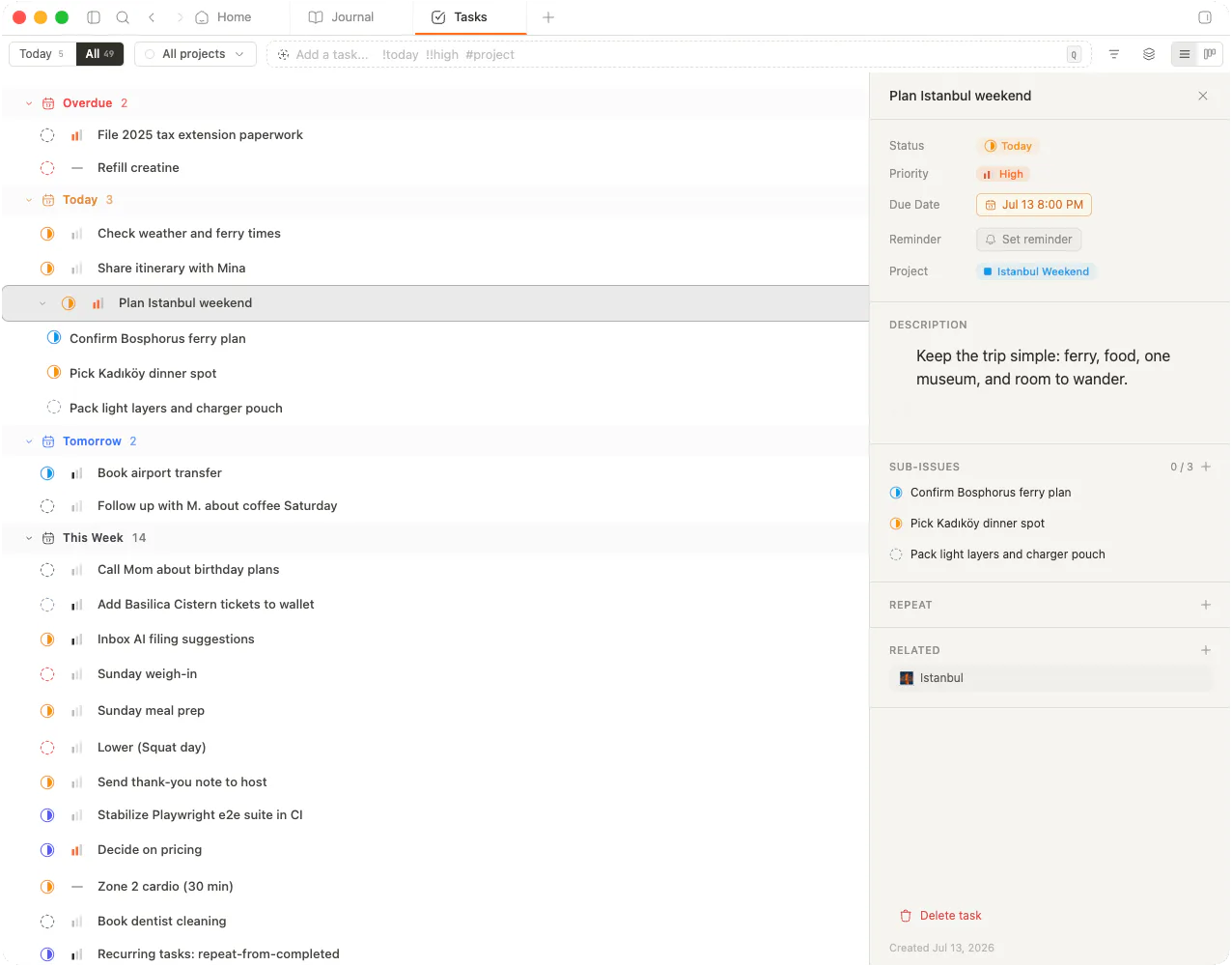
Projects hold the work. Statuses move it forward. Subtasks track the steps. Recurring schedules carry the habit.
Group tasks into projects with custom colors and icons. Each project keeps its own workflow.
Define unique statuses per project. Match your workflow instead of bending to a template.
Break work down with nested subtasks. Progress rolls up to the parent automatically.
Daily, weekly, monthly, yearly. Flexible frequency for habits, reviews, and rituals.
Same tasks. Different lens. Kanban for momentum, calendar for time, list for focus.
Columns by status. Drop a card to move it. Custom columns per project.
Tasks land on their due dates. Drag to reschedule. See the load at a glance.
Group by project, status, or date. Sort by priority. Keyboard-first.
Subtasks, priority, due dates, project tag, task tags. Smart filters and saved presets pull the right view in one click.
Pointer-down handler should fire before the disabled state applies. Add optimistic update, rollback on failure. Linked to [[calendar-spec]].
Combine priority, project, status, dates, and tags. Stack as many as you need.
Pin your favorite filter combinations. They live in the sidebar, ready when you are.
Hit the shortcut. Type the task. memrynote parses dates, priority, project, and tags from plain English. No forms. No tabbing through fields.
Review onboarding copy tomorrow 3pm !high +marketing #copy
Press enter. The task lands in the right project, on the right day.
Priority, dates, filters, presets. The bones of a task system that grows with you.
None, low, medium, high, urgent. Sort and filter by what matters most right now.
Deadlines plus optional start dates. Time granularity for hour-specific blocks.
Two built-in views. What you owe today. What is coming next.
Stack filters by priority, project, status, dates, and tags. Combine freely.
Pin filter combinations to the sidebar. One click reloads the view.
Multi-select tasks. Reassign project, shift due date, change status in one move.
Tasks live next to your notes and journal. Same vault, same shortcuts, same backlinks.
Inline checkboxes inside any note become real tasks. Same source of truth, both ways.
Today's tasks surface in the daily entry. Reflect on what you shipped without leaving the page.
Tasks plot by due date inside memrynote. Drag to reschedule across the week.
Bounce between shipping, hiring, fundraising. Projects keep each thread isolated.
One project per client. Custom statuses match each engagement. Recurring invoices ship on time.
Courses as projects. Assignments as subtasks. Calendar view shows the week before it crushes you.
Habits, errands, reading queue. Recurring schedules carry the rituals you want to keep.
Natural-language quick add
"Tomorrow 3pm !high +marketing #copy" parses on enter.
Completion celebration
A small animation when you check things off. Earned.
Undo
Closed by accident? Cmd+Z brings it back.
Archive
Sweep finished work out of the way without deleting.
Task tags
Tag across projects so cross-cutting work stays findable.
Task-note linking
Attach a note to any task for full context.
Projects, statuses, subtasks, recurrence. Kanban, calendar, list. Local-first. Yours.