Week view
Seven days at a glance with time-of-day rows. See momentum across the whole week.
The calendar that knows about your tasks, deadlines, and journal entries. Drag to reschedule. Plot anything by date. See your week in one glance.
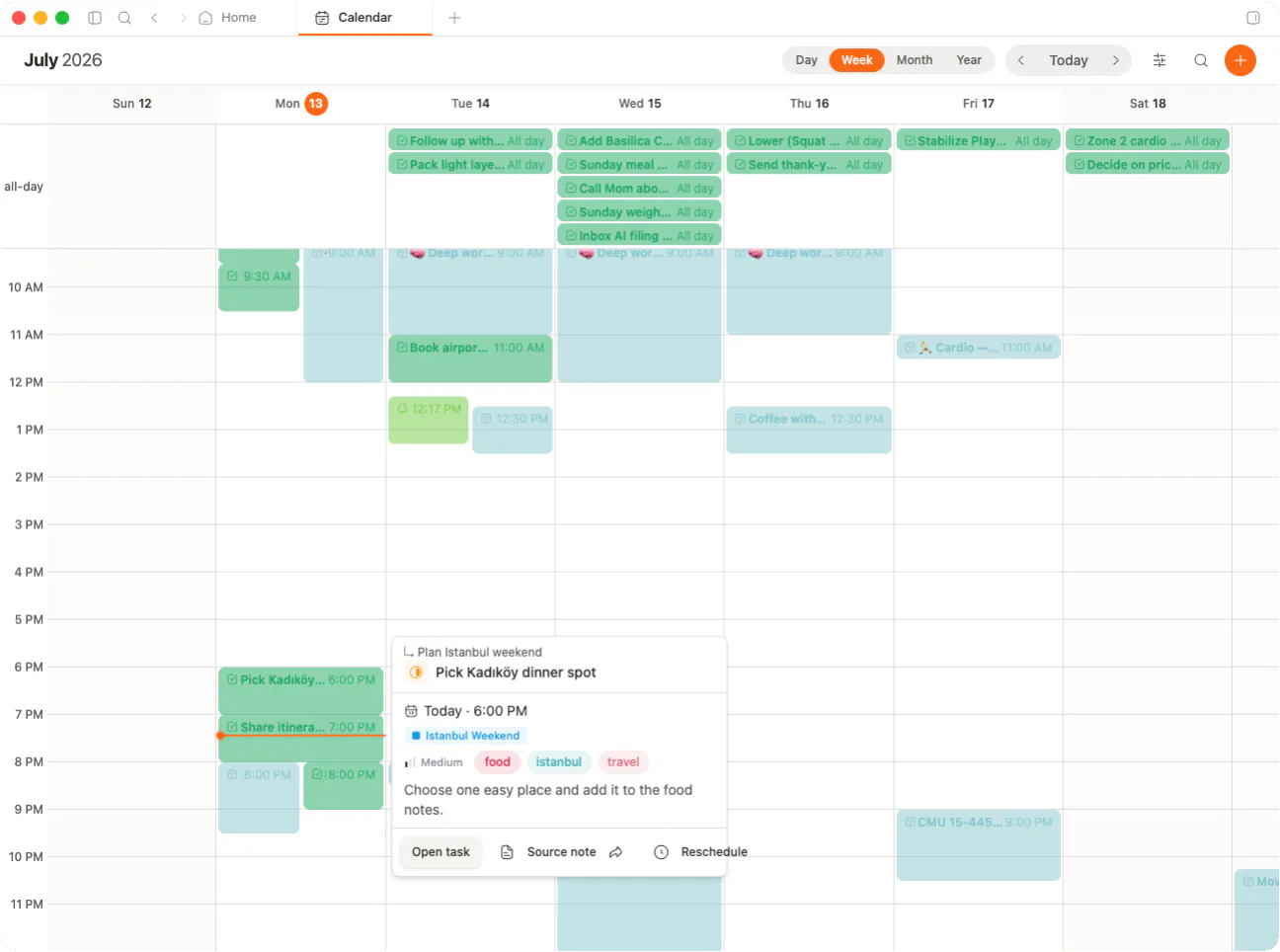
Tasks plot by due date. Journal entries land on their day. Deadlines surface as you scroll. No second calendar app required.
Seven days at a glance with time-of-day rows. See momentum across the whole week.
One day, every task and journal entry, plotted by time. Morning to evening.
Grab any task and drop it on a new day. Due dates update. No menus.
Plan with both. Time granularity down to the hour. Multi-day spans render as bars.
A week for momentum. A day for focus. A month for the shape of things. Same vault, three perspectives.
Time-of-day rows. Multi-day spans cross columns. Today gets a ring.
Time-blocked rows from morning to evening. Click any slot to add a task.
Density at a glance. Jump to any day. Multi-day spans render as bars.
Tasks group into morning, afternoon, and evening. Journal entries surface as part of the day. Deadlines flag themselves before they bite.
Saturday, May 16
8 tasks · 1 journal entry · 1 deadline
Daily, weekly, monthly, yearly. memrynote plots each occurrence on the calendar so the future is never empty.
A deadline alone hides the work. Add a start date and memrynote plots the whole span on your calendar. You see the runway, not just the finish line.
Renders as a 5-day bar across your week view.
A calendar that reflects your real shape of work. Not a grid of empty cells.
Grab any task pill, drop it on a new day or time. Due date updates everywhere.
Daily, weekly, monthly, yearly. Every occurrence renders on the right day.
All-day or down to the hour. Time-of-day rows surface what fits where.
Due-today gets a flag. Overdue gets a red dot. You see what bites first.
A ring on today, a now-line across the day view. You never lose your place.
Tasks with a start + due render as a bar across the week. The runway is visible.
Calendar isn’t a separate app. It’s a view on the same vault. Tasks, journal, inbox, all aligned to a day.
Set a due date in any view. It appears on the calendar. One source of truth.
Today’s entry shows in the day overview. Open it without leaving the calendar.
Captured items with dates land on your week. Nothing gets buried under fresh thoughts.
Sprints, standups, and deep work on one grid. Drag the standup to tomorrow when life happens.
Assignment deadlines, exam dates, study blocks. Every course color-coded, every due date visible.
Client deliverables next to internal tasks. Multi-day spans show which week is already booked.
Timebox the chaos. Ship dates, investor calls, and journal reflection on the same plane.
External calendar sync
Coming soonGoogle and Apple Calendar two-way sync. On the roadmap.
Time-of-day rows
Morning, afternoon, evening lanes. Group the day without locking to a timetable.
Keyboard navigation
Arrow keys to move between days. T jumps to today. N adds a task on the focused day.
Jump to today
One keystroke snaps back to today, in any view, from any date.
Dense view toggle
Compact mode for triage. Comfortable mode when you want to read every line.
Color by priority or project
Swap the calendar palette by priority (P0 to P4) or project. Same data, new lens.
Local-first. End-to-end encrypted. Every task, deadline, and journal entry, plotted on a calendar you actually own.