Quick capture
A global hotkey omnibox grabs links, voice, files, and text. Two keystrokes from anywhere.
A contemplative space for processing what comes in. Quick capture, voice memos, web clips, PDF extraction, and smart filing. All on your device.
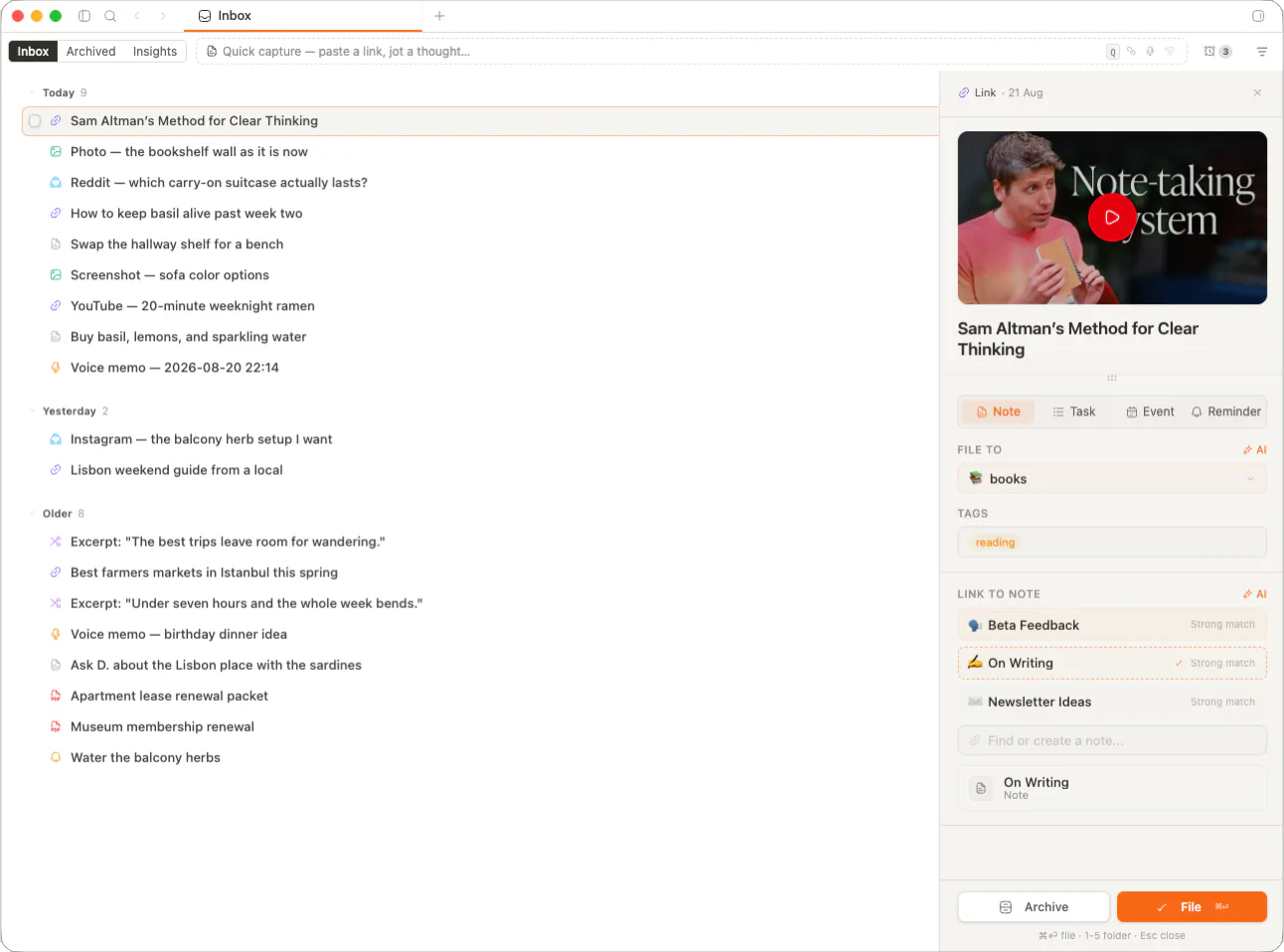
Articles, voice memos, screenshots, PDFs, social posts. They all land in Inbox with full source context and a single review flow.
A global hotkey omnibox grabs links, voice, files, and text. Two keystrokes from anywhere.
Record a thought and memrynote transcribes it automatically. Audio file stays beside the text.
Drag a PDF or paste a URL. memrynote pulls title, hero image, OCR text, and source link.
Suggestions learn where you usually file. Confirm with one key, or pick a different home.
A keyboard-first omnibox, a system-wide drop zone, and a clipper for the things you find on the web. Pick the one closest to your hand.
A global capture window over whatever you're looking at. No app switch, no lost context.
Paste a URL or drop a PDF. memrynote extracts title, description, hero image, favicon, and OCR'd body.
A Generalist Agent
A single agent that plays Atari, captions images, chats, stacks blocks with a real robot arm...
DeepMind · S. Reed et al.
Files, screenshots, recordings. Drop them on the memrynote icon or into the Inbox window.
Drop to capture
PDF, MD, image, audio, video
memrynote groups related captures, suggests tags, and offers a snooze when you need quiet. Every model runs locally. Nothing leaves your laptop.
When AI is on, memrynote reads titles and content, then proposes groupings. File the whole cluster at once or break it apart. Local-first by design — see the AI roadmap for the full model story.
Reading · AI papers5
A Generalist Agent · Toolformer · Chain-of-Thought · ...
Trip · Lisbon 20263
Hotel confirmation · Belém walking tour · Pastel de nata list
PKM tools4
Logseq vs memrynote · Obsidian dataview · Heptabase canvas...
Suggestions are advisory. You decide what stays grouped.
memrynote proposes tags based on content. Accept with a tap, or type your own.
Push an item out of view with a reason. It returns at the right time, with the note attached.
Every captured item has the same five destinations. The order learns from you. The source link, original file, and metadata travel along with it.
A Generalist Agent — DeepMind
arxiv.org · captured 6m ago
File to...
Suggestions reorder based on past filing choices.
Snooze, archive, bulk actions, and a heatmap that tells you when you actually process. All optional. All keyboard.
Push an item out with a reason and a return time. Custom snoozes for any moment.
Send captures to a note, folder, or task. Archive when an item is done, not gone.
memrynote proposes tags from content. Confirm, swap, or write your own before filing.
Select a cluster and file, tag, or snooze the whole group in one motion.
A heatmap of when you capture, type distribution, and how fast you process the queue.
Every capture keeps its origin — URL, author, EXIF, timestamps — for the long haul.
Inbox is the funnel. Notes, Calendar, and Journal are where things land — same vault, same shortcuts, same offline storage.
File a capture to a note in any folder. Source URL and metadata move along with it.
Turn an article or voice memo into a task with a date. It plots itself on your week.
Surface today’s captures inside the day context strip while you write your entry.
Bookmarks, Slack pastes, PDFs. One place that holds the day until you can think.
Catch the thought before it leaves. Snooze the rest with a reason you trust future-you to read.
Web clips with full source context, EXIF, and OCR. Cite-ready when you process them.
Voice memos transcribed inline. Half-formed lines stay until you pick one and run with it.
Voice transcription
Recordings transcribe to editable text. Audio stays beside the transcript, both portable.
EXIF metadata
Captured images keep camera, location, and timestamp data when present.
OCR fallback
PDFs and screenshots get text extraction so they’re searchable, not buried.
Custom snooze
Pick a date, an hour, or a relative window. Add a one-line reason.
Archive view
Processed items keep around for the audit trail without cluttering the queue.
Video & audio files
Drop in recordings, podcasts, or screen captures. Metadata tracked.
Local-first. End-to-end encrypted. A folder you own, with a queue that empties on your terms.