Rich markdown
Headings, lists, code, quotes, tables — written as plain .md you can open anywhere.
A file-first notes app built on plain .md files in a folder you own. Wiki-links connect every idea, properties give each note shape, and version history holds the receipts.
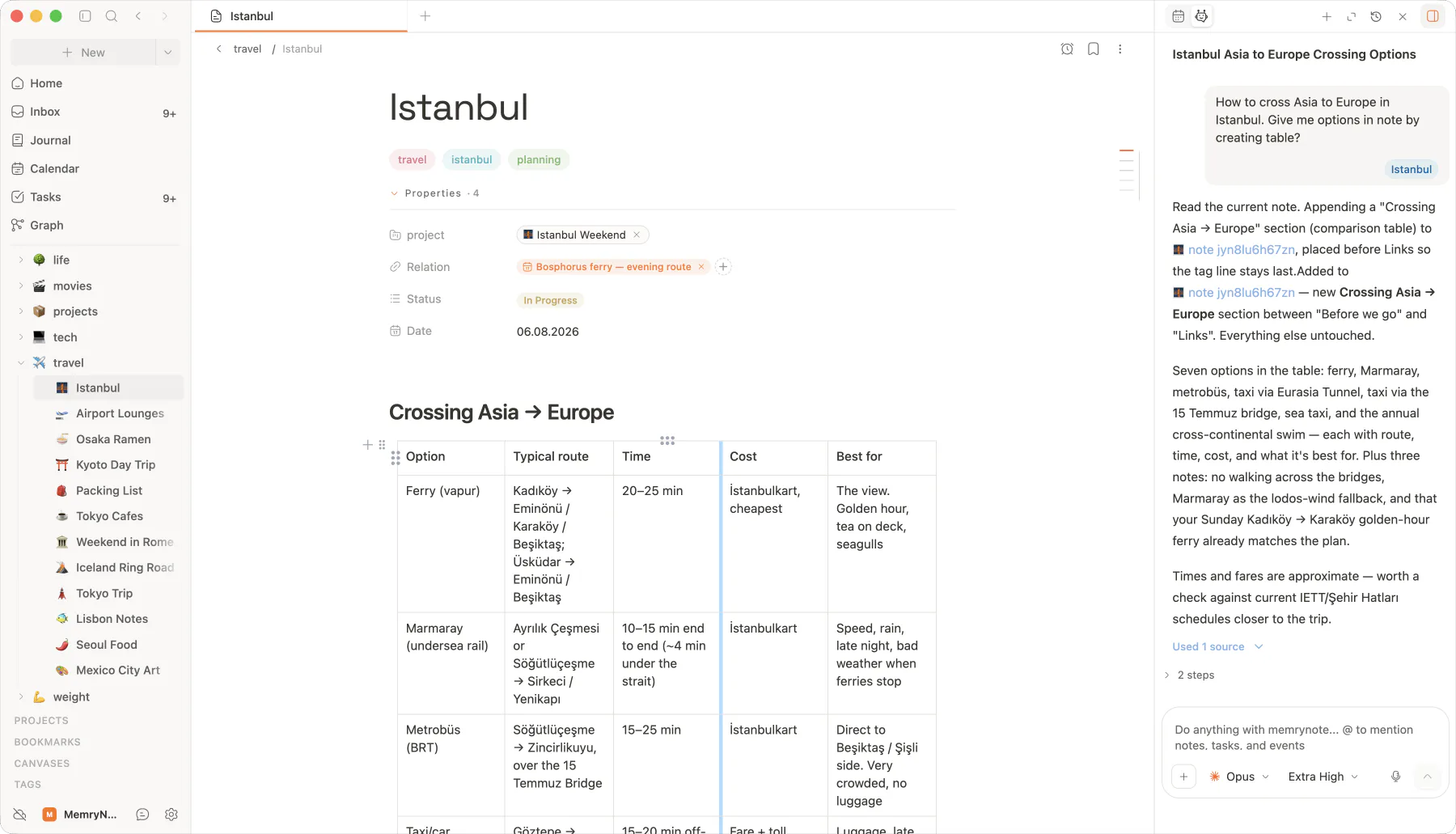
Notes hold the work. Markdown text, file attachments, structured properties, and version history — no plugins required.
Headings, lists, code, quotes, tables — written as plain .md you can open anywhere.
Drop images, PDFs, audio, and video into any note. Stored beside the markdown.
Auto-snapshots on save, plus manual checkpoints. Side-by-side diff to undo anything.
Export any note to PDF or markdown. Or just open the .md file in any editor.
Slash commands for everything you need, a bubble menu when you need formatting, and keyboard shortcuts for the rest.
Pull blocks, links, callouts, and code from a single menu.
Highlight any text to get a context-aware toolbar — link, bold, italic, headings.
memrynote connects every idea with wiki-links and backlinks so your thoughts never live alone.
Everything you need in a long-form note — without leaving the editor.
function link(note) {
 return `[[${note.title}]]`
}Wiki-links suggest themselves while you type. Backlinks show every reference with context. Tags color-code the connective tissue.
Autocomplete matches titles, aliases, and tags. Hit enter — the connection sticks, no matter if you rename later.
I keep coming back to [[ze
3 matches
See exactly where a note is mentioned across your vault — with the surrounding sentence.
Journal · Apr 02
Revisited [[zettelkasten-method]] — still the cleanest mental model.
PKM principles
See also [[zettelkasten-method]].
Tag with #topic, give notes an alias, and find them however you remember them.
YAML frontmatter, rendered as a clean property panel. Eight property types cover status, dates, ratings, URLs, and more — sortable and filterable inside folder views.
Stored in YAML frontmatter — readable by any markdown editor.
From a loose paragraph to a fully-indexed reading list — the same notes scale with you.
Turn any folder into a database-style table. Sort, filter, and group by property.
First-class table editing with sortable headers and cell-level formatting.
Compute values from other properties — sums, counts, dates, rollups.
Syntax-highlighted fences for the language you actually write in.
Pull a passage, mark a footnote, or stamp a callout without leaving the keyboard.
Inline checkboxes that surface as real tasks in the Tasks view — same source of truth.
Notes don't live in a silo. They connect to your inbox, your journal, and your tasks — same vault, same shortcuts.
Capture anything anywhere — file it into a note with a click. Source link preserved.
Daily entries link back to the notes you reference. Today wires into yesterday.
Inline checkboxes become real tasks. Click through to the source note any time.
Long drafts, character sheets, research threads — all linked, all in plain markdown.
Quote-grab from the web, structure findings with properties, then publish locally.
Spec docs, ADRs, runbooks. Folder views give you a database without leaving markdown.
A zettelkasten that grows with you. Backlinks reveal the patterns you keep returning to.
Emoji icons
Pin a visual identifier to every note.
PDF & Markdown export
One click to share outside memrynote.
Aliases
Multiple names for the same note. Find it however you remember it.
Attachments inline
Images, audio, video, PDFs — embedded.
Snapshots on save
Auto and manual. Side-by-side diff to roll back anything.
Tag definitions
Pin a description to a tag so future-you remembers what it meant.
Local-first. End-to-end encrypted. Plain markdown files in a folder you own — forever.